Secret sources
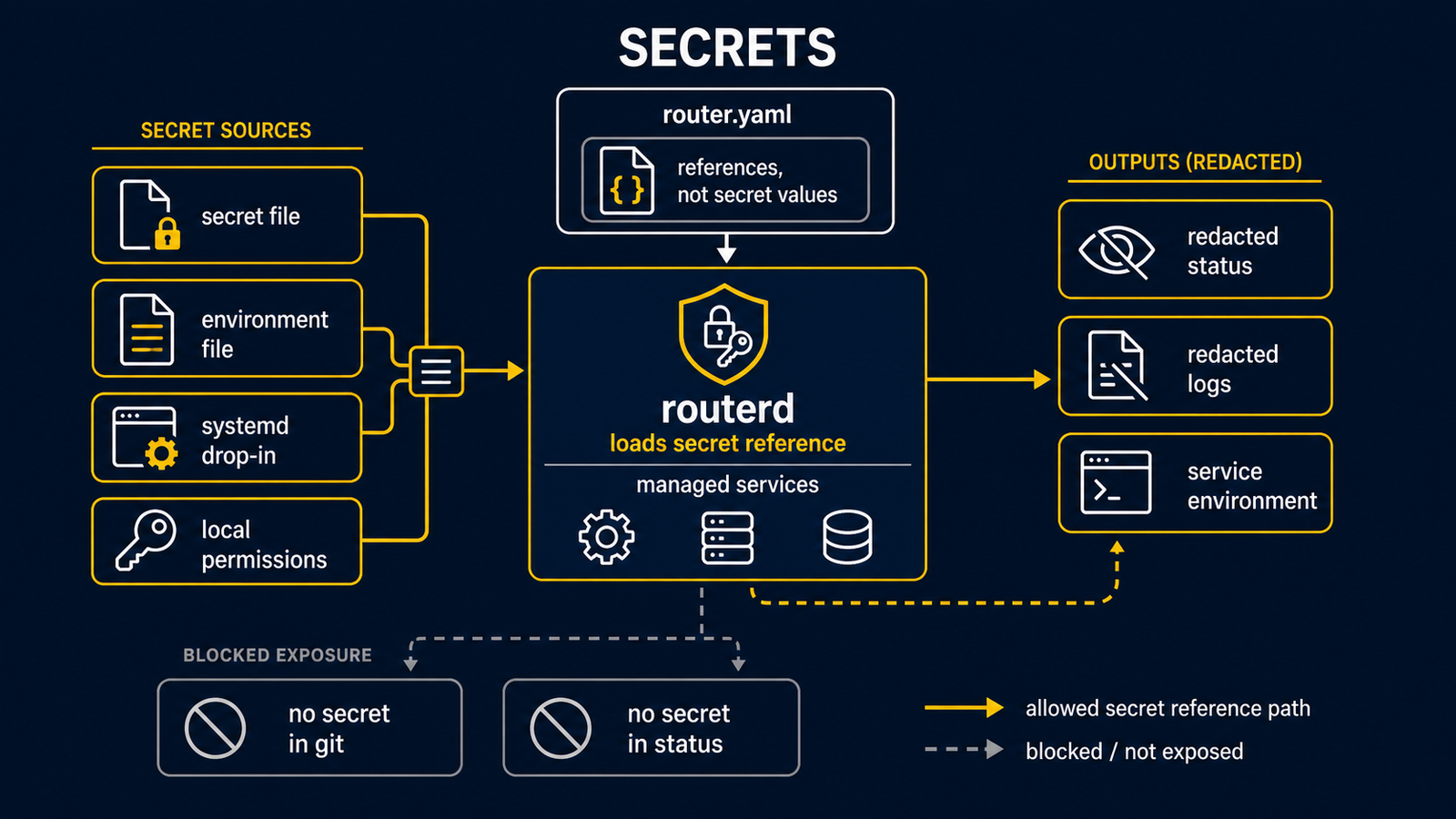
routerd supports file and environment secret sources for BGP peer passwords, VRRP/CARP authentication, SAM enrollment join tokens, and ControlAPI HTTP bearer tokens. It also references TLS certificate/key files for ControlAPI HTTPS and mTLS. Prefer secret-source fields over inline secret values:
passwordFrom:
  file: /usr/local/etc/routerd/secrets/bgp-password
  base64: false
authenticationFrom:
  env: ROUTERD_VRRP_AUTH
tokenFrom:
  file: /usr/local/etc/routerd/secrets/control-api-token
tls:
  certFile: /usr/local/etc/routerd/secrets/rr-control-api.crt
  keyFile: /usr/local/etc/routerd/secrets/rr-control-api.key
  clientCAFile: /usr/local/etc/routerd/secrets/leaf-client-ca.pem
Operational guidance:
- Keep secret files outside Git-managed config directories.
- The default release path for host-local secret files is
/usr/local/etc/routerd/secrets/. - Use root-owned files with mode
0600, or an equivalent service-manager credential mechanism that exposes a file only to routerd. - Do not publish rendered keepalived or CARP config from production hosts; rendered files contain the resolved secret value.
base64: trueis only an encoding convenience for file/env transport. It is not encryption.routerctl validatewarns when a referenced secret file does not exist yet. Render and apply require the source to be readable.
On the live ISO with USB persistence, files under
/usr/local/etc/routerd/secrets are copied to routerd/secrets/ on the
persistence device by live-persistence.sh save-config and flush, then
restored at boot before routerd applies router.yaml. Host-specific
routerd/hosts/<hostname>/secrets/ and routerd/hosts/<mac>/secrets/ directories
take precedence over the generic directory.