VS Code YAML schema
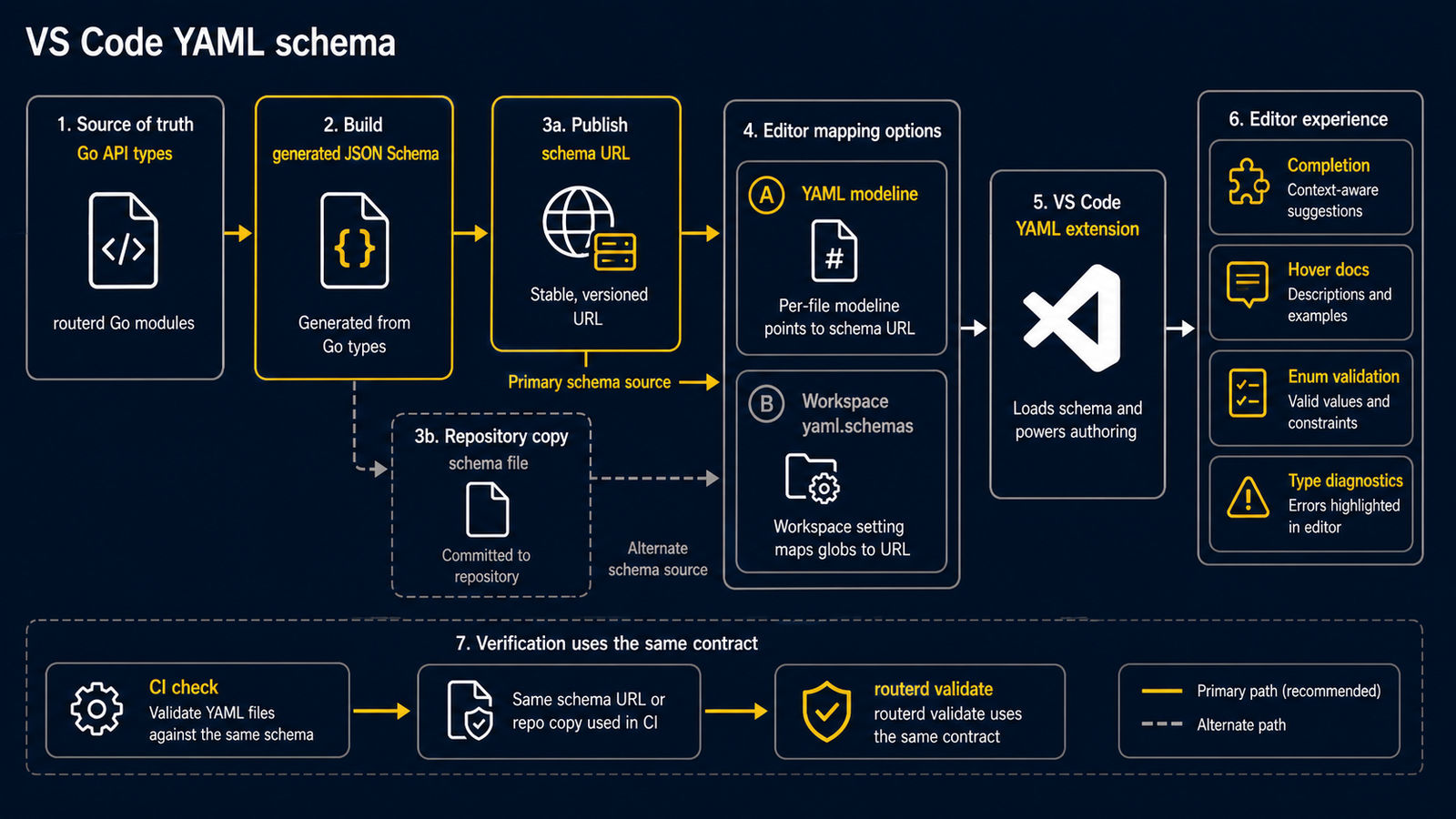
routerd publishes its generated config schema at:
https://routerd.net/schemas/routerd-config-v1alpha1.schema.json
Per-file modeline
Put this comment at the top of any routerd config file:
# yaml-language-server: $schema=https://routerd.net/schemas/routerd-config-v1alpha1.schema.json
apiVersion: routerd.net/v1alpha1
kind: Router
VS Code with the YAML extension reads the modeline and enables completion, hover text, enum validation, and type diagnostics for that file.
Workspace mapping
This repository includes .vscode/settings.json with a yaml.schemas mapping for router config files:
examples/*.yamlexamples/cloudedge-mobility-demo/*.yamlexamples/event-federation/*.yamlwebsite/fixtures/wizard/**/*.yamlrouterd/**/*.yaml*.routerd.yaml**/routerd.yaml**/router.yaml
For another workspace, copy the same mapping into that workspace settings file:
{
  "yaml.schemas": {
    "https://routerd.net/schemas/routerd-config-v1alpha1.schema.json": [
      "examples/*.yaml",
      "examples/cloudedge-mobility-demo/*.yaml",
      "examples/event-federation/*.yaml",
      "website/fixtures/wizard/**/*.yaml",
      "routerd/**/*.yaml",
      "*.routerd.yaml",
      "**/routerd.yaml",
      "**/router.yaml"
    ]
  }
}
Use the modeline for arbitrary YAML filenames that do not match those patterns.
Checks
The schema is generated from the Go API types. CI checks that the repository schema and the published website copy stay in sync, so editor feedback tracks the same contract used by routerctl validate.