VS Code YAML スキーマ
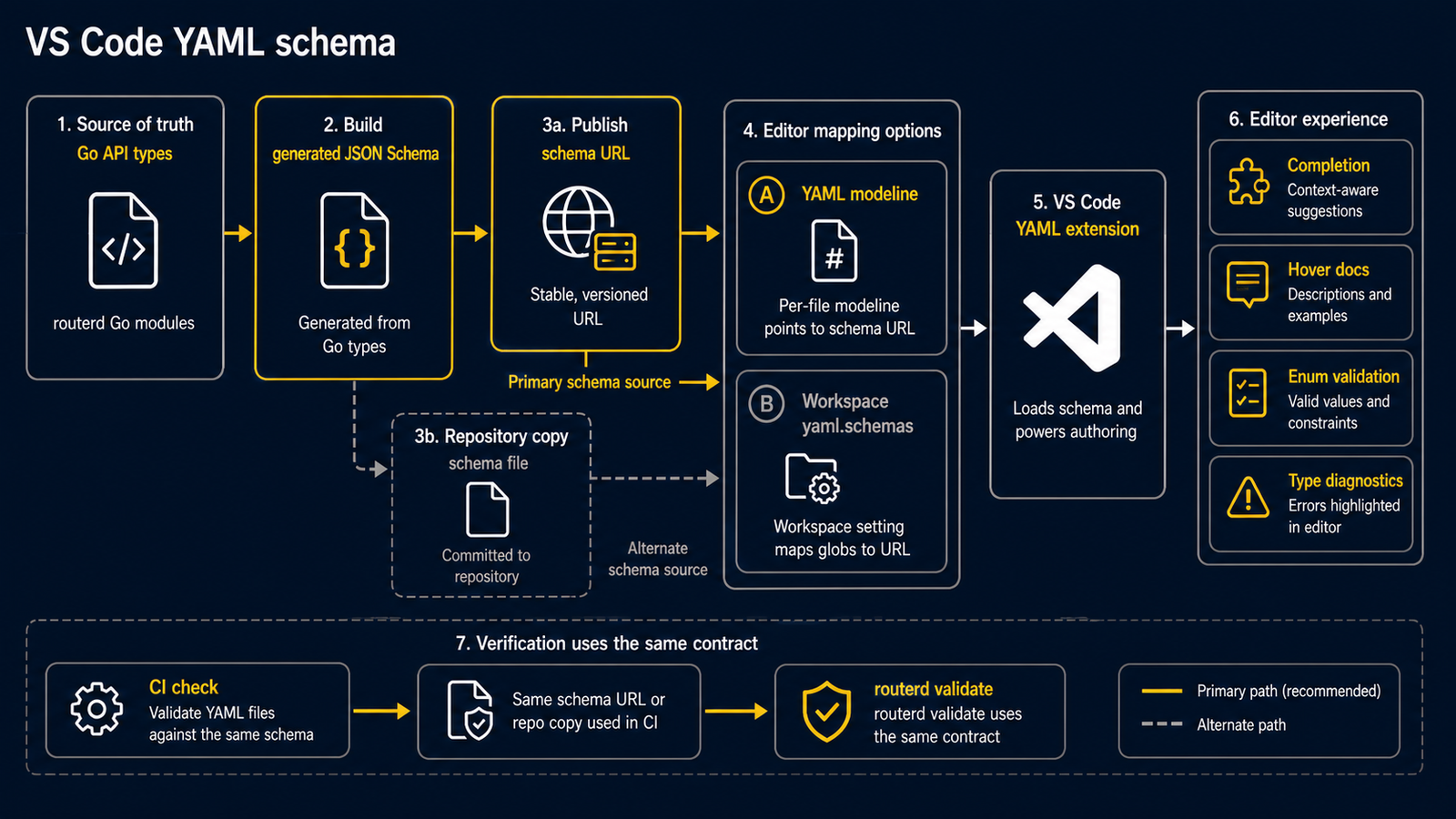
routerd は生成済みの設定スキーマを次の URL で公開しています。
https://routerd.net/schemas/routerd-config-v1alpha1.schema.json
ファイルごとの modeline
routerd の設定ファイルの先頭に、次のコメントを置きます。
# yaml-language-server: $schema=https://routerd.net/schemas/routerd-config-v1alpha1.schema.json
apiVersion: routerd.net/v1alpha1
kind: Router
VS Code と YAML 拡張機能はこの modeline を読み、該当ファイルで補完、ホバー情報、列挙値の検証、型診断を有効にします。
ワークスペースマッピング
このリポジトリには、ルーター設定ファイル向けの yaml.schemas マッピングを持つ .vscode/settings.json が入っています。
examples/*.yamlexamples/cloudedge-mobility-demo/*.yamlexamples/event-federation/*.yamlwebsite/fixtures/wizard/**/*.yamlrouterd/**/*.yaml*.routerd.yaml**/routerd.yaml**/router.yaml
別のワークスペースでは、同じマッピングをそのワークスペースの設定ファイルに入れてください。
{
  "yaml.schemas": {
    "https://routerd.net/schemas/routerd-config-v1alpha1.schema.json": [
      "examples/*.yaml",
      "examples/cloudedge-mobility-demo/*.yaml",
      "examples/event-federation/*.yaml",
      "website/fixtures/wizard/**/*.yaml",
      "routerd/**/*.yaml",
      "*.routerd.yaml",
      "**/routerd.yaml",
      "**/router.yaml"
    ]
  }
}
これらのパターンに合わない YAML ファイルでは modeline を使ってください。
整合性の確認
スキーマは Go の API 型から生成されます。CI がリポジトリ内のスキーマと Web サイトで公開しているコピーの同期を確認するため、エディタの診断結果は routerctl validate が使う規約と常に一致します。